What Is a Cat5 Extender and How Does It Work?
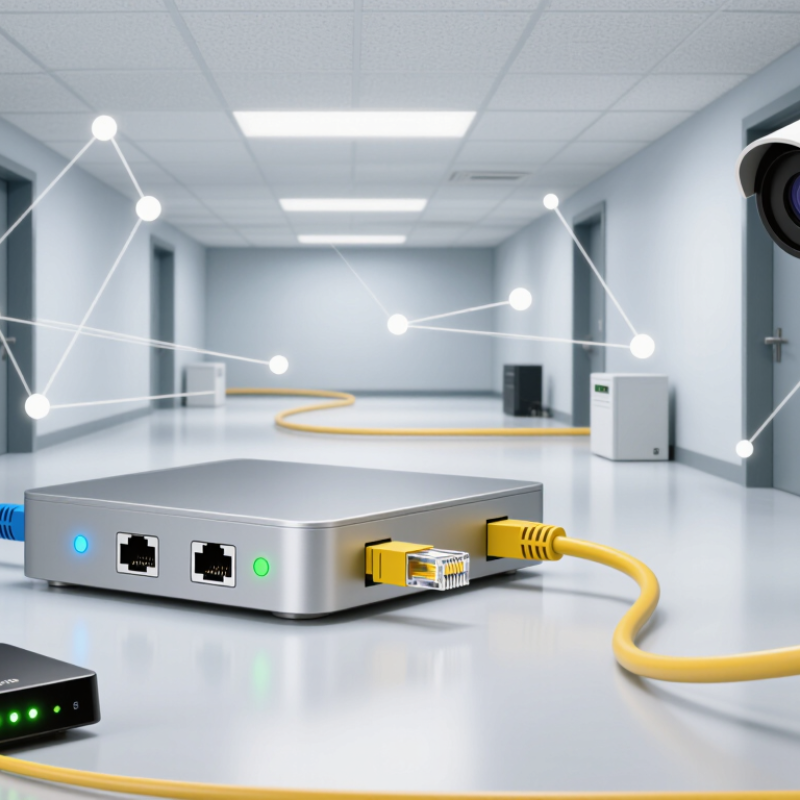
A Cat5 Extender helps carry an Ethernet connection beyond the reach of a standard cable run. That matters in real spaces: a router may sit near the office door, while a camera or access point is mounted down a long hallway. Yet “Cat5 Extender” is not one single technology. The term can describe repeaters, Ethernet-over-coax kits, or other devices that use existing cabling to extend a network link.
Distance is the practical problem. Ethernet cabling commonly supports a channel length of up to 100 meters under applicable cabling standards, including ANSI/TIA-568. Past that point, signal quality and device compatibility need careful attention. Cisco’s Annual Internet Report (2018–2023) forecast 29.3 billion networked devices worldwide by 2023, illustrating why reliable connections to distributed equipment matter. That figure was a forecast, not a current device count. Context matters.
A Cat5 Extender typically receives a network signal, adapts or regenerates it, and sends it onward through a supported medium. Some models also pass power, but only when their specifications and connected devices support it. The result depends on cable condition, distance, data rate, and the extender design. A neat-looking box cannot fix damaged wiring. Check the exact model’s distance limits and supported speed before installation. Then test the link under normal use. Small details matter. This guide explains what a Cat5 Extender is, how common designs work, and what to verify before choosing one. One caveat is easy to miss: “Cat5” in a product name does not guarantee compatibility with every cable or network setup.
What a Cat5 Extender Is
A Cat5 extender is a device that carries network data beyond the usual reach of a standard Ethernet cable run. Ethernet links over copper are generally limited to 100 meters (328 feet), including patch cables. An extender uses electronics to receive and regenerate or convert the signal, then send it onward. Some models use one powered unit; others require a unit at each end. The setup depends on the extender’s design. Not a magic cable.
Tips: Check the supported speed, cable type, and maximum distance before installation. Use undamaged cable with secure terminations. Test the complete cable route, since electrical noise or a poor crimp may affect stability.
Despite its name, a Cat5 extender is not simply a coupler joining two cables. A coupler connects cable ends but does not restore a weakened signal. Extenders also differ in how they handle data, and some may limit network speed or require specific wiring. The term can be a little loose, so check the device specifications against your network equipment and the actual cable path.
Why Cat5 Extenders Are Used
Cat5 extenders are used when an Ethernet run must reach beyond the usual copper-cable limit, but replacing the entire cable route would be disruptive or costly. The TIA-568.2-D structured-cabling standard sets a 100-meter maximum channel length for balanced twisted-pair cabling. IEEE 802.3 Ethernet specifications also define copper links around this distance. An extender can receive and regenerate network signals, helping a connection travel farther over existing cable. Useful in warehouses.
That matters when a network room sits far from a camera, access point, or office at the end of a long corridor. Reusing installed Cat5 can reduce new conduit work and keep walls intact. Some extenders also carry power, but supported distance and power depend on the device, cable condition, and connected load. Check the specifications.
A longer link is not automatically a better link. Old cable, tight bends, poor terminations, or electrical interference can cause dropped packets or lower speeds. Measure the actual route, then test the link under load; nominal distance claims alone are not enough. In practice, this can feel less tidy than pulling fresh cable, and that trade-off deserves a second look.
The Main Components of a Cat5 Extender
A Cat5 extender is built around a transmitter and receiver. The transmitter accepts a signal from a source device, encodes it, and sends it through twisted-pair cable. At the far end, the receiver reconstructs the signal for a display, network device, or other compatible equipment. That is the basic path. Depending on the model, both ends may need power, and some units use separate power adapters rather than drawing power through the cable.
The cable, connectors, and signal-processing circuitry matter just as much. TIA-568.2-D specifies 100 MHz performance for Category 5e cabling, while IEEE 802.3 sets a 100-meter maximum channel length for 100BASE-TX Ethernet over twisted pair. These are useful reference points, not guarantees for every extender: resolution, data rate, cable condition, and installation quality can change the practical reach. Check the extender’s stated limits before installation. A kinked cable or loose connector can cause dropouts that look like a device fault. That is easy to miss. I would also leave room for troubleshooting; real cable routes rarely match a neat test bench.
How a Cat5 Extender Transmits Signals
How a Cat5 Extender Transmits Signals
A Cat5 extender carries network data over copper twisted-pair cable. At one end, a transmitter converts Ethernet traffic into electrical signals suited to the cable. At the other end, a receiver restores the data for a network device. Some extenders regenerate Ethernet signals; others use a different transmission method over the cable. The exact method affects distance, speed, and compatibility.
Twisted wire pairs help reduce interference as signals travel. Still, copper loses signal strength over distance. IEEE 802.3 Ethernet specifications generally limit standard twisted-pair links to 100 meters. TIA-568 cabling guidance commonly divides that channel into 90 meters of fixed cable and up to 10 meters of patch cords. An extender can bridge longer routes, but its rated distance and data rate depend on the device, cable condition, and electrical noise. A dusty connector or sharp cable bend can matter. Real installations are rarely perfect.
Tips: Check the extender’s supported cable type, distance, and speed before installation. Keep the cable away from power wiring when practical, and test the link under load. A connection that lights up may still drop packets. That part is easy to miss. For reference, see IEEE 802.3 and ANSI/TIA-568 cabling guidance.
What Is a Cat5 Extender and How Does It Work?
Typical maximum Ethernet channel length over Cat5e cabling
Ethernet devices send electrical signals through twisted pairs in the cable. An extender receives and regenerates the signal so it can travel over an additional cable segment. The chart shows the typical 100-meter maximum channel length for these Ethernet standards over Cat5e; the usable distance and speed beyond an extender depend on the device and network standard.
Common Types and Key Limitations of Cat5 Extenders
What Is a Cat5 Extender and How Does It Work?
Common Types and Key Limitations of Cat5 Extenders
A Cat5 extender carries network signals beyond a standard cable run, but it does not make ordinary cable loss disappear. Active Ethernet repeaters receive and regenerate signals; PoE extenders also pass power to devices such as cameras. Some copper-pair extenders use a different transmission method to send data over longer existing runs. The hardware matters.
The ANSI/TIA-568.2-D cabling standard specifies a 100-meter channel: up to 90 meters of fixed cabling and 10 meters of patch cords. IEEE 802.3 defines Ethernet technologies, but achievable speed and distance depend on the specific extender, cable condition, and endpoint equipment. A longer link may negotiate at a lower rate, or fail under electrical noise. Small details count.
PoE models also face power loss along the cable, so a distant device may receive less power than expected. Repeaters need suitable power and can add delay; chaining multiple units makes troubleshooting harder. Copper-pair systems may require matched equipment at both ends and can trade speed for reach.
Check the extender’s distance and power specifications against the actual cable path—not just the straight-line distance. And test it in place. Standards describe compliant cabling; they cannot guarantee a worn, tightly bent, or poorly terminated cable will perform well.