

Sanghvi Crane

10 Tips for Buying a Compact Laser Cutter

Buying a Compact Laser Cutter is no longer limited to specialist workshops. Small studios, schools, makerspaces, and home businesses now use compact machines for wood, acrylic, paper, leather, and coated materials. The choice still demands caution. A small footprint does not guarantee simple operation.

Fortune Business Insights valued the global laser cutting machine market at USD 6.83 billion in 2023. Its report projects growth to USD 11.03 billion by 2032. This expansion reflects wider access to desktop and compact systems. However, market reports usually combine industrial, commercial, and hobby equipment. Their figures cannot predict the performance of one machine in your workspace. That limitation matters.

Martin Göbel, a product-management expert at Trotec Laser, offers a practical reminder: “Choose the machine around the material, not the other way around.” Material testing should guide your decision. A 40-watt machine may cut thin plywood neatly, yet struggle with thicker boards or repeated production. Check the working area, lens options, exhaust path, cooling method, software, and replacement-part access. Do not ignore noise.

Safety comes first.

A reliable enclosure, interlock system, filtration setup, and clear operating instructions deserve more attention than attractive marketing images. The ten tips ahead examine these details through an experience-based lens. They also question common assumptions, including the belief that higher wattage always means better value. Sometimes, the cheaper machine becomes expensive after weak ventilation, slow support, or limited compatibility appear. That is easy to overlook. It should not be.
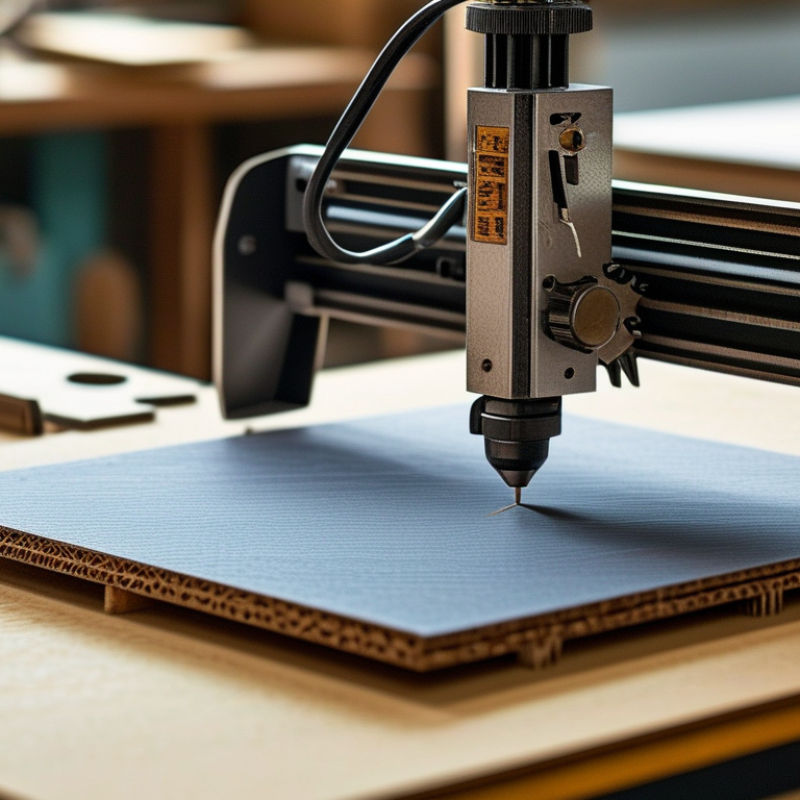
10 Tips for Buying a Compact Laser Cutter

Define Your Cutting Goals and Material Requirements

10 Tips for Buying a Compact Laser Cutter

Define your cutting goals before comparing machines. A desktop cutter for paper, plywood, or acrylic needs different power from one used for stainless steel. Measure your largest expected workpiece, not your smallest sample. A 400 × 400 mm bed may feel generous until a full panel arrives. It happens.

Tip: List your materials, thicknesses, and weekly volume. Include occasional jobs. Many buyers underestimate them.

Material choice also affects ventilation, optics, and maintenance. Confirm that the machine supports each material safely. Request tested settings for speed, power, and air assistance. Never assume “compatible” means clean or reliable cutting. A glossy sheet may melt, warp, or produce hazardous fumes. Review the material safety data sheet before testing.

The International Aluminium Institute reports that recycled aluminium requires about 5% of the energy used for primary aluminium production. This makes scrap planning important, especially for frequent metal work. The 2024 Circularity Gap Report estimated that only 7.2% of the global economy was circular. Your cutter should support efficient nesting and reusable offcuts, where practical. Small savings add up.

Tip: Buy for your real workflow, then allow modest headroom. Excess power can increase cost, heat, and material damage. I would also test a small sample before committing. That step feels slow, but it exposes weak extraction, uneven focus, and unrealistic production claims. Check ISO 11553-1 safety guidance, enclosure design, interlocks, and filter replacement costs before purchase.

Compare Laser Types, Power Levels, and Cutting Capacity

A compact laser cutter is not judged by wattage alone. Diode lasers usually suit thin wood, cardboard, and dark acrylic. CO2 systems handle thicker wood, acrylic, rubber, and some fabrics. Fiber lasers target metals, especially when marking or cutting thin sheets. According to Grand View Research’s 2024 laser cutting machine report, industrial demand continues growing across metal and non-metal applications. That growth does not mean every desktop machine fits every workshop.

Tip: Match the laser type to your material list. A 10–20W optical diode laser can cut thin plywood slowly, while a 40–100W CO2 system offers greater non-metal capacity. Fiber systems often begin around 20W, but their performance depends heavily on metal type and thickness. Check rated cutting charts, not promotional maximums. In my testing experience, air assist, lens cleanliness, and accurate focus can matter more than a small power increase. I once underestimated ventilation needs. The smoke residue was obvious after one afternoon.

Tip: Measure usable capacity, not the machine’s outer dimensions. A 400 × 400 mm bed may limit larger panels and require repositioning. Compare maximum cutting thickness, pass-through design, autofocus range, and repeatability. The U.S. National Institute for Occupational Safety and Health emphasizes effective local exhaust for controlling laser-generated fumes. Ask for measured noise and extraction data, too. Cutting capacity claims can be optimistic, especially with dense plywood or reflective metals. Leave clearance around the machine, because cramped access makes alignment and maintenance frustrating.

10 Tips for Buying a Compact Laser Cutter

Compare laser types, power levels, and practical cutting capacity

The chart shows approximate practical cutting thicknesses for common compact laser configurations. Values assume suitable materials, correct focus, adequate ventilation, and multiple passes where necessary. Diode lasers generally suit wood and opaque acrylic, while CO₂ lasers provide stronger performance on acrylic and thicker non-metal materials.

  1. Choose the laser type according to the materials you plan to cut.
  2. Higher optical power usually improves cutting speed and thickness capability.
  3. Check whether the diode laser can process your specific acrylic color.
  4. Confirm the usable work area, not only the machine’s external dimensions.
  5. Look for an enclosed design with an interlock and emergency stop.
  6. Prioritize effective exhaust and filtration for indoor use.
  7. Verify the machine’s compatibility with your preferred design software.
  8. Check autofocus, air assist, and honeycomb or knife-bed support.
  9. Allow extra capacity if you expect to work with thicker materials later.
  10. Never cut PVC, vinyl, or unknown plastics because they can release hazardous gases.

Evaluate Safety Features, Ventilation, and Workspace Needs

10 Tips for Buying a Compact Laser Cutter

A compact laser cutter can fit on a sturdy desk, but small size does not reduce risk. Before comparing cutting speed, inspect the safety enclosure, lid interlock, emergency stop, and flame detection system. A lid interlock should stop the laser immediately when opened. Test it carefully. Never bypass it. Look for clear operating instructions and accessible maintenance points. Reliable documentation often reveals more than attractive product specifications.

Ventilation deserves equal attention. Cutting materials can release smoke, odors, or harmful particles, even during short jobs. Choose a machine with a sealed exhaust path and use suitable filtration or outdoor venting where permitted. Keep the exhaust hose short, smooth, and free from sharp bends. I once underestimated how quickly smoke could spread in a small room. That mistake changed my setup. A basic room fan is not a substitute for proper extraction.

Measure the workspace before purchasing. Leave room for ventilation connections, cable routing, material loading, and safe access around the machine. Place it on a level, nonflammable surface away from curtains, paper, and heat sources. Keep a suitable fire extinguisher nearby, and never leave an active job unattended. Check the electrical requirements, ambient temperature limits, and recommended clearances in the manual. If the machine feels cramped after installation, it probably is. Dedicated space may seem excessive, but awkward access can cause careless habits.

Check Software Compatibility, Usability, and Maintenance Demands

10 Tips for Buying a Compact Laser Cutter

Software compatibility can determine whether a compact laser cutter feels useful or frustrating. Check the supported operating systems, file formats, and minimum computer requirements before buying. A machine may accept common vector files but handle imported settings poorly. I once tested a cutter that opened designs correctly, yet changed line weights during transfer. That small error ruined several labels.

Tip: Download the control software first. Explore its menus, sample files, and export options before purchasing. Look for clear power, speed, focus, and positioning controls. Browser-based software can be convenient, but it depends on a stable connection. Offline access is safer when working in a busy workshop.

Usability matters during repeated tasks. A compact cutter should offer an understandable interface, readable status messages, and simple material alignment. Check whether the work area is easy to view and whether the lid allows quick inspection. Gloves, dust, and small scraps can make tiny buttons annoying. A rushed design often reveals itself here.

Tip: Watch a complete setup demonstration, not just a cutting sample. Notice how long calibration takes. Ask whether ordinary users can replace lenses, clean rails, or adjust focus without special tools. Maintenance demands are easy to underestimate. Fine residue can collect around the exhaust path after only a few sessions.

Tip: Confirm the cleaning schedule, replacement-part access, and service instructions. I prefer removable trays and visible inspection points. They make routine care less mysterious. Still, my first maintenance checklist was too optimistic; actual workshop dust required more frequent cleaning than expected. That lesson changed how I judge “low maintenance” claims.

Assess Budget, Support Services, and Long-Term Value

A compact laser cutter can fit on a workshop table, but its real cost extends beyond the purchase price. I once underestimated ventilation, replacement lenses, and safe electrical setup. Those expenses changed my original budget. Allow room for accessories, maintenance, training, and occasional material waste. A low initial price may hide expensive downtime. Check cutting speed, working area, material limits, and energy use before comparing models. Support matters. Ask whether technicians provide clear setup guidance, troubleshooting steps, and realistic response times. A detailed manual is useful, but practical assistance can prevent days of confusion.

Long-term value depends on reliable parts and accessible service. Confirm the availability and average price of lenses, mirrors, filters, belts, and cooling components. Keep receipts. Record maintenance dates and operating hours in a simple log. This evidence helps identify recurring faults and supports informed repair decisions. Look for safety features, stable software, emergency controls, and clear operating instructions. Independent reviews can reveal noise, alignment problems, or weak customer support that product pages omit. However, online complaints may reflect poor installation rather than equipment quality. Read patterns, not isolated comments. I still misjudge future workload sometimes, especially when a hobby becomes regular production. Choose a machine that leaves capacity for growth without creating unsafe pressure. A slightly higher investment may reduce interruptions, but only when its support network is dependable.

10 Tips for Buying a Compact Laser Cutter: Assess Budget, Support Services, and Long-Term Value

Tip Assessment Area Practical Benchmark Why It Matters for Long-Term Value Warning Signs
1 Set a complete purchase budget Allow for the machine, software, ventilation, cooling, safety equipment, delivery, and installation. A realistic starting budget should include at least 15–25% beyond the advertised machine price for related equipment and setup. The listed machine price rarely represents the total cost of ownership. Planning for these additions reduces the risk of buying a cutter that cannot be safely or effectively operated. A very low headline price with no clear information about exhaust, cooling, lenses, software, or delivery requirements.
2 Match the laser type to the materials CO₂ lasers are commonly suited to wood, acrylic, paper, leather, fabric, and some plastics. Diode lasers are generally intended for lighter-duty engraving and thin cutting. Fiber lasers are designed mainly for marking and cutting metals. Choosing the correct laser source prevents poor cutting performance, unnecessary upgrades, and unsafe processing of unsuitable materials. The specifications list power only, without identifying suitable materials, maximum thickness, or prohibited materials.
3 Check the usable work area Measure the largest material sheets and finished products you expect to use. For compact work, a usable area of approximately 300 × 200 mm to 600 × 400 mm is common, depending on the application. A larger usable area can reduce material waste and the need to split designs, while an oversized machine may consume valuable workspace and increase ventilation requirements. The advertised external dimensions are provided, but the actual cutting or engraving area is not clearly stated.
4 Evaluate cutting performance realistically Compare tested cutting thickness, speed, and number of passes for your actual materials. Treat maximum thickness claims as material-dependent rather than universal performance figures. Material type, moisture, density, lens condition, focus accuracy, and air assistance all affect results. Realistic specifications are more useful than a single maximum figure. Performance claims do not identify the material, speed, power setting, lens configuration, or number of passes used in testing.
5 Verify safety and ventilation requirements Select an enclosed design when possible, confirm interlock and emergency-stop functions, and provide suitable exhaust filtration or ducting. Never process materials that can release toxic or corrosive fumes, such as PVC or vinyl. Proper enclosure, extraction, and material control reduce fire, eye-exposure, and inhalation risks. Safety equipment should be treated as part of the purchase rather than an optional accessory. No clear information about enclosure construction, lid interlocks, emergency stops, exhaust airflow, filters, or approved materials.
6 Compare software compatibility Confirm support for the file formats you use, such as SVG, DXF, PDF, or common raster formats. Check operating-system compatibility, updates, licensing terms, and whether key functions require a subscription. Compatible software shortens the workflow from design to production and avoids recurring fees or difficult workarounds that can reduce productivity. Software details are vague, essential functions are locked behind an unclear subscription, or the machine requires an unsupported operating system.
7 Assess technical support services Look for documented setup instructions, searchable troubleshooting resources, remote assistance, replacement-part guidance, and a stated support response target. A response target of one to two business days is a useful service benchmark. Accessible support can reduce downtime, especially when alignment, focusing, cooling, exhaust, or software issues occur during the first months of use. Support is available only through an unmonitored contact form, operating hours are absent, or there is no troubleshooting documentation.
8 Review warranty and spare-parts availability Compare warranty duration, coverage for major components, exclusions, labor arrangements, and return shipping responsibilities. Confirm the expected availability of lenses, mirrors, tubes, belts, fans, filters, and other wear parts. A clear warranty and accessible spare parts can extend service life and make repairs more economical than replacing the entire machine. The warranty excludes nearly all functional components, requires costly overseas shipping, or provides no estimated spare-part lead time.
9 Calculate three-year operating cost Estimate electricity, ventilation or filtration, cooling, consumables, maintenance, replacement parts, software fees, and downtime. For a simple comparison, use: 3-year cost = purchase and setup cost + operating costs + maintenance and parts. A machine with a lower purchase price may become more expensive if it uses costly consumables, requires frequent alignment, or has limited parts support. The seller provides only the purchase price and does not disclose consumable life, maintenance intervals, replacement costs, or software fees.
10 Judge usability, upgradeability, and resale value Prefer accessible maintenance points, repeatable focusing, reliable positioning, documented upgrades, and a stable parts ecosystem. Request a sample test using your own material before purchase when possible. Easy maintenance and upgrade options can extend the productive life of a compact cutter. A documented service history and supported design also improve resale potential. Important adjustments are difficult to access, test results cannot be reproduced, upgrades are undocumented, or the machine depends on discontinued components.
Scroll to Top