

Sanghvi Crane

Why Is a Dashboard Instrument Cluster Important?

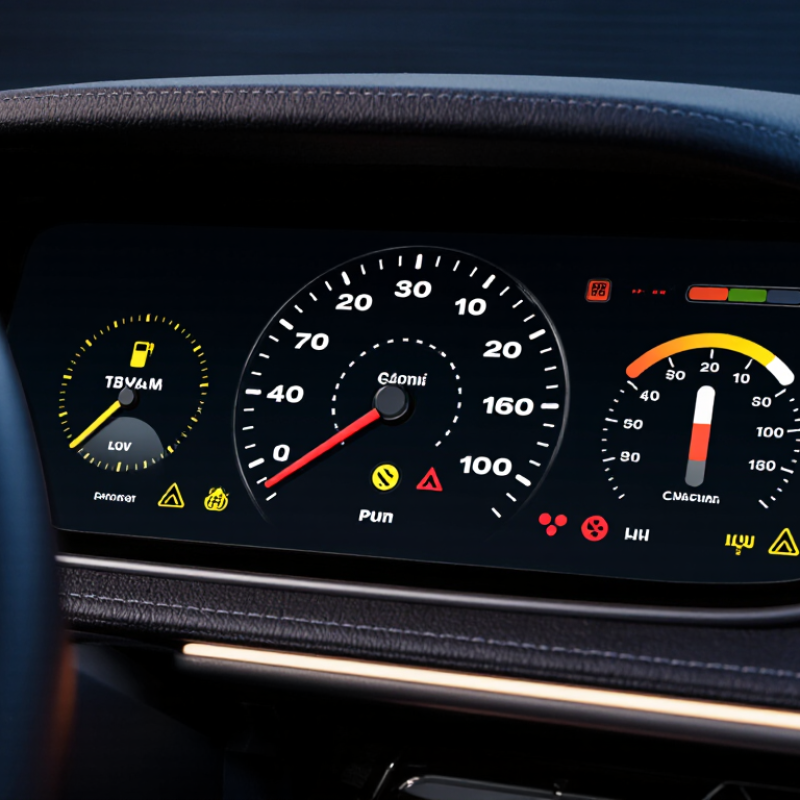
A dashboard is more than a place to display speed. It helps drivers understand what the vehicle is doing, often within a brief glance. The Dashboard Instrument cluster brings essential information together, including speed, fuel or battery level, warning lights, and engine temperature. These details can guide everyday decisions, from slowing down to arranging maintenance.

Clear information matters. A warning light that appears beside a readable symbol may be easier to notice than one buried in a crowded display. At night, brightness and contrast affect how quickly drivers can check the cluster without losing focus on the road. Small details count: a fuel gauge near empty, a rising temperature reading, or a tire-pressure alert can prompt a timely response. Still, displays differ by vehicle, and symbols are not always self-explanatory. The owner’s manual remains the best reference for unfamiliar indicators.

Modern clusters may use digital screens, traditional gauges, or a combination of both. Each design involves trade-offs. A screen can show more information, but extra menus may add distraction if the layout is unclear. A simple gauge can be easy to read, yet offer less detail. Useful design is not just about adding features. It should present important information legibly and predictably, so drivers can interpret it without prolonged attention. That standard sounds obvious. It is not always met. Understanding why the instrument cluster matters helps drivers use its alerts wisely and recognize when a vehicle needs further inspection.
Why Is a Dashboard Instrument Cluster Important?

What Is a Dashboard Instrument Cluster?

A dashboard instrument cluster is the group of instruments and displays directly ahead of the driver. It typically shows speed, fuel level, engine temperature, warning lights, and selected vehicle information. Older clusters rely mainly on physical gauges; newer designs may use digital screens. The purpose is simple: make essential information visible without sending the driver searching across the cabin. A red warning symbol, for example, should be easy to distinguish from a routine fuel reading.

Visibility matters. NHTSA’s Visual-Manual Driver Distraction Guidelines use a two-second limit for individual glances away from the road when assessing certain in-vehicle tasks. NHTSA also reported 3,308 deaths in distraction-affected crashes in its 2022 Traffic Safety Facts report. These figures do not prove that a clear cluster prevents crashes, but they underline why quick, readable information matters. Good design uses legible type, sensible contrast, and a layout drivers can learn. Not decoration. A crowded screen can still confuse people, especially in bright sunlight or at night. Even a well-designed cluster is not perfect; drivers must interpret warnings correctly, and unfamiliar symbols can cause hesitation. That detail deserves more attention than it often gets.

What Information Does the Instrument Cluster Display?

A dashboard instrument cluster turns vehicle data into information a driver can use at a glance. It commonly shows road speed, engine revolutions, fuel level, coolant temperature, and warning lights. Many vehicles also display odometer readings, gear position, trip data, and tire-pressure alerts. The exact layout varies, so a driver should learn where key symbols appear before setting off. A red oil-pressure warning, for example, calls for a different response than a low-fuel reminder.

Warnings matter. The U.S. Department of Transportation’s FMVSS No. 101 sets requirements for the identification and illumination of vehicle controls and displays. NHTSA’s 2013 Visual-Manual Driver Distraction Guidelines use a two-second limit for a single glance and a 12-second limit for total task time. These are design benchmarks for secondary tasks, not a rule that every cluster glance must meet. Still, they show why clear symbols and readable layouts matter. Small text can be hard to read in bright sunlight; I sometimes find that even a clean display asks for more attention than expected.

Tips: Before driving, check fuel, warning lights, and gear position while parked. Learn unfamiliar symbols in the owner’s manual. Keep it simple. During travel, glance briefly at the display, then return your attention to the road.

How Does the Cluster Support Safe Driving?

A dashboard instrument cluster supports safe driving by keeping essential vehicle information within easy view. Speed, fuel level, engine temperature, and warning indicators are easier to check when their positions and symbols are familiar. A quick glance is safer than searching through menus, though a cluttered display can still distract. Glance, then look up.

Clear illumination matters in changing conditions. At dusk, dim markings may fade; at noon, reflections can hide a small warning symbol. Drivers can learn the main indicators while parked and check unfamiliar warnings in the vehicle handbook. A flashing warning or rising temperature may need prompt attention, but the right response depends on the vehicle and signal. Not every illuminated icon means immediate danger; some indicate routine maintenance.

The cluster can also reveal patterns, such as fuel dropping faster than expected or temperature rising in traffic. These readings are useful, not infallible: a sensor fault can mislead. If a gauge behaves oddly, consider other signs and arrange an inspection rather than guessing. Familiarity helps. Dashboard layouts vary, and assuming every symbol is universal can create confusion.

Why the instrument cluster matters: The speedometer and warning indicators help drivers monitor speed and respond to vehicle alerts. This chart shows why speed awareness matters: estimated stopping distance rises as speed increases.

Illustrative estimates assume a 1-second reaction time, level road, and dry pavement with a friction coefficient of 0.7. Actual stopping distances vary with road, tires, brakes, and driver response.

How Does It Help Monitor Vehicle Condition?

A dashboard instrument cluster helps drivers notice changes they cannot see from the seat. The temperature gauge may climb while the engine sounds normal. An oil-pressure warning, battery symbol, or tire-pressure alert can signal a problem before it becomes obvious. Small clues matter. The cluster turns sensors and measurements into visible prompts, helping drivers decide when to check the manual, inspect the vehicle, or stop safely. A warning light is not a diagnosis, though. Some alerts need prompt attention; others require a technician to identify the cause.

Tire pressure shows why these alerts are useful. The U.S. Department of Energy’s FuelEconomy.gov guidance reports that properly inflated tires can improve gas mileage by about 0.6% on average, and up to 3%. It also estimates that each 1 psi drop across all four tires reduces fuel economy by about 0.2%. A tire-pressure warning can prompt a timely check, but it does not replace measuring pressure with a gauge. Drivers can also grow accustomed to warning symbols and overlook them. That happens. Reviewing the owner’s manual and watching for changes in gauges, sounds, or handling makes the cluster more useful.

How Do Design and Alerts Improve Driver Awareness?

A dashboard instrument cluster helps drivers understand speed, fuel or battery level, and vehicle status without searching through menus. Its design matters because attention belongs mainly on the road. Clear numbers, familiar symbols, and strong contrast make key details easier to notice during a brief glance. Small text or crowded graphics can slow that glance. That matters.

Alerts also shape driver awareness. A distinct sound or visible warning can draw attention to a change, while clear wording helps explain what needs attention. Urgency should be easy to distinguish: a critical warning should not look like a routine reminder. Still, alerts can become distracting if they appear too often or use similar colors and tones. Even a polished cluster can feel busy at night, when glare and dim lighting affect readability. Drivers should learn their vehicle’s indicators while parked, since symbols and alert behavior can differ between vehicles.

Tips: Adjust brightness before driving at night. Keep essential readings easy to scan, and check the owner’s manual for unfamiliar symbols. If an alert appears, respond according to its instructions and road conditions; don’t try to study the display while moving.

Why Is a Dashboard Instrument Cluster Important? — How Do Design and Alerts Improve Driver Awareness?

Instrument or Feature Information Shown Useful Design Approach Alert or Feedback How It Supports Driver Awareness
Speedometer Current vehicle speed, typically in kilometres per hour, miles per hour, or both. Use clear numerals, strong contrast, and a display that can be read with a brief glance. A speed-limit or overspeed warning may be available, depending on the vehicle and settings. Helps the driver monitor speed and make timely adjustments without relying on estimates.
Fuel or battery-energy gauge Remaining fuel, or estimated battery charge in an electric vehicle. Show the remaining level consistently and make low-range information easy to locate. A low-fuel or low-charge warning can prompt the driver to plan a refuelling or charging stop. Supports trip planning and reduces the chance of being caught off guard by limited range.
Warning and indicator lights Vehicle status, including conditions related to braking, engine systems, lighting, or safety equipment. Use distinct symbols and labels; avoid making drivers identify a warning by colour alone. Many vehicles use red for urgent warnings, amber for cautions, and other colours for status indications; meanings depend on the symbol and vehicle manual. A consistent visual hierarchy helps drivers notice important information and judge whether action may be needed.
Audible alerts Time-sensitive events such as an unfastened seat belt, an open door, or a parking warning. Keep alert tones distinguishable and avoid unnecessary or repetitive sounds. A chime or tone can accompany a visual message for selected warnings. Provides an additional cue when the driver is not looking directly at the instrument cluster.
Temperature and system-status indicators Information such as engine temperature or the status of a vehicle system. Present the normal range clearly and make abnormal readings or status changes noticeable. A warning may appear if a monitored condition moves outside its normal operating range. Helps drivers recognize a developing issue before it is overlooked during routine driving.
Tyre-pressure monitoring alert A warning that one or more tyres may be underinflated, where the vehicle has a monitoring system. Show the warning clearly and provide wheel-specific details when the system supports them. A dashboard telltale may indicate low tyre pressure; the driver should check pressure using the vehicle guidance. Draws attention to a condition that can affect handling, tyre wear, and energy or fuel use.
Driver-assistance status and warnings Status or alerts from available features such as lane support, forward-collision warning, or adaptive cruise control. Use brief messages and recognizable icons, with clear distinctions between system status and urgent warnings. Visual, audible, or steering feedback may be used according to the feature and vehicle design. Communicates what assistance is active and alerts the driver when attention or intervention may be required.
Display layout and readability The overall arrangement of gauges, messages, icons, and trip information. Prioritize essential driving information, use legible type, and limit clutter and competing notifications. Important messages should be prominent and remain understandable in different lighting conditions. Reduces the effort needed to find information and supports quicker interpretation during a brief glance.

Note: Instrument layouts, warning symbols, and alert behaviour vary by vehicle. Drivers should consult the owner’s manual for the meaning of a specific warning.

Scroll to Top